Bookmarked pages
The Wicket viewer supports the automatic bookmarking of domain objects, as per @DomainObjectLayout#bookmarking(). However, it does not support bookmarking of action prompts (@ActionLayout#bookmarking()).
Whenever a bookmarkable object/action is visited, then a bookmark is created. To avoid the number of bookmarks from indefinitely growing, bookmarks that have not been followed after a while are automatically removed (an MRU/LRU algorithm). The number of bookmarks to preserve can be configured.
Screenshots
The following screenshot shows how bookmarks are rendered in the Wicket viewer:
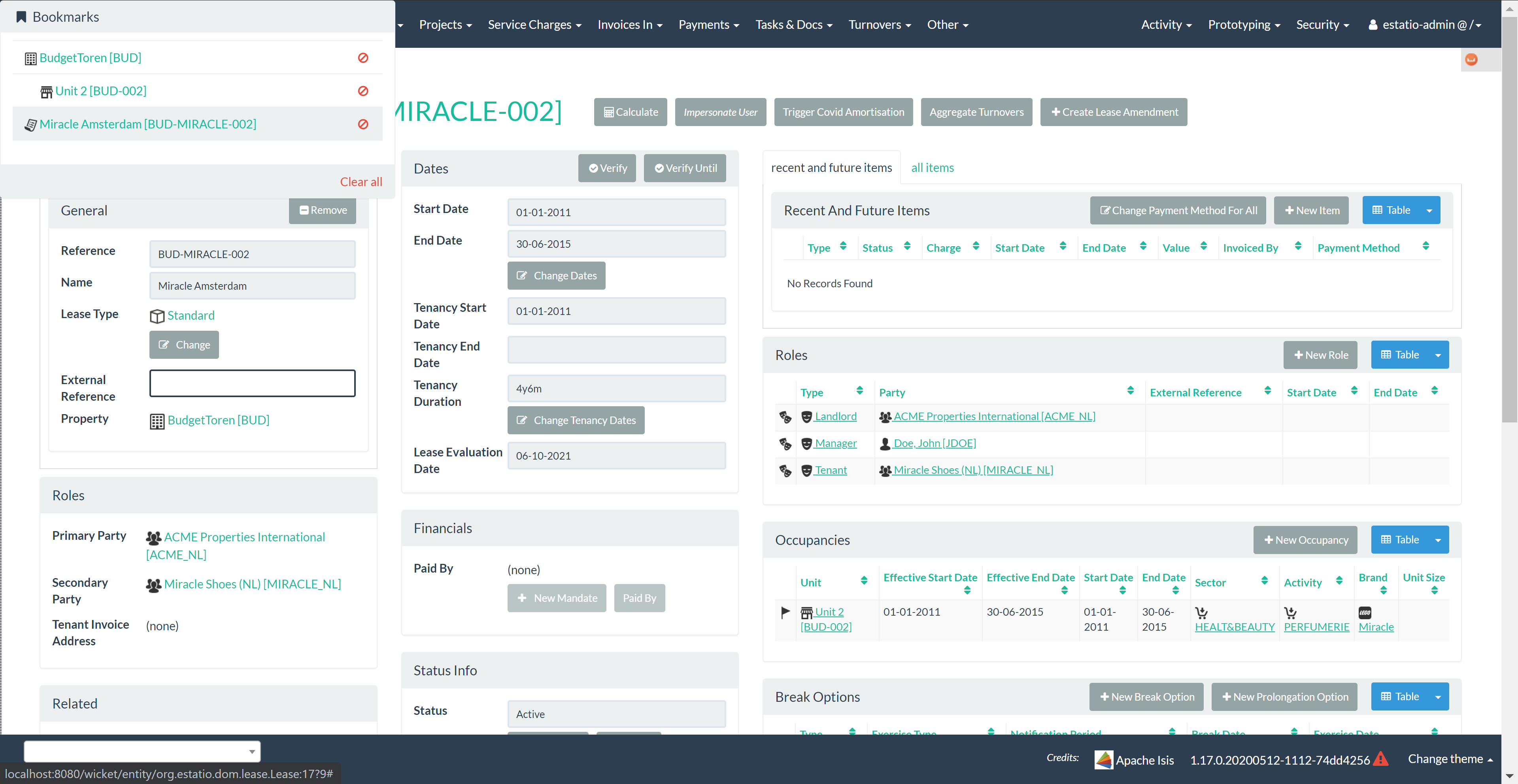
This screenshot demonstrates that bookmarks can be nested.
Some - like Property and Lease - are root nodes.
However, Unit is bookmarkable as a child of Property.
This parent/child relationship is reflected in the layout.
Domain Code
To indicate a class is bookmarkable, use the @DomainObjectLayout annotation:
@DomainObjectLayout(
    bookmarking=BookmarkPolicy.AS_ROOT
)
public class Lease { /* ... */ }
To indicate a class is bookmarkable but only as a child of some parent bookmark, specify the bookmark policy:
@DomainObjectLayout(
    bookmarking=BookmarkPolicy.AS_CHILD
)
public class LeaseItem { /* ... */ }
User Experience
The sliding panel appears whenever the mouse pointer hovers over the thin blue tab (to the left of the top header region).
Alternatively, alt+[ will toggle open/close the panel; it can also be closed using Esc key.
Configuration
The maximum number of bookmarks that are shown can be overridden using the causeway.viewer.wicket.bookmarked-pages.max-size configuration property.